
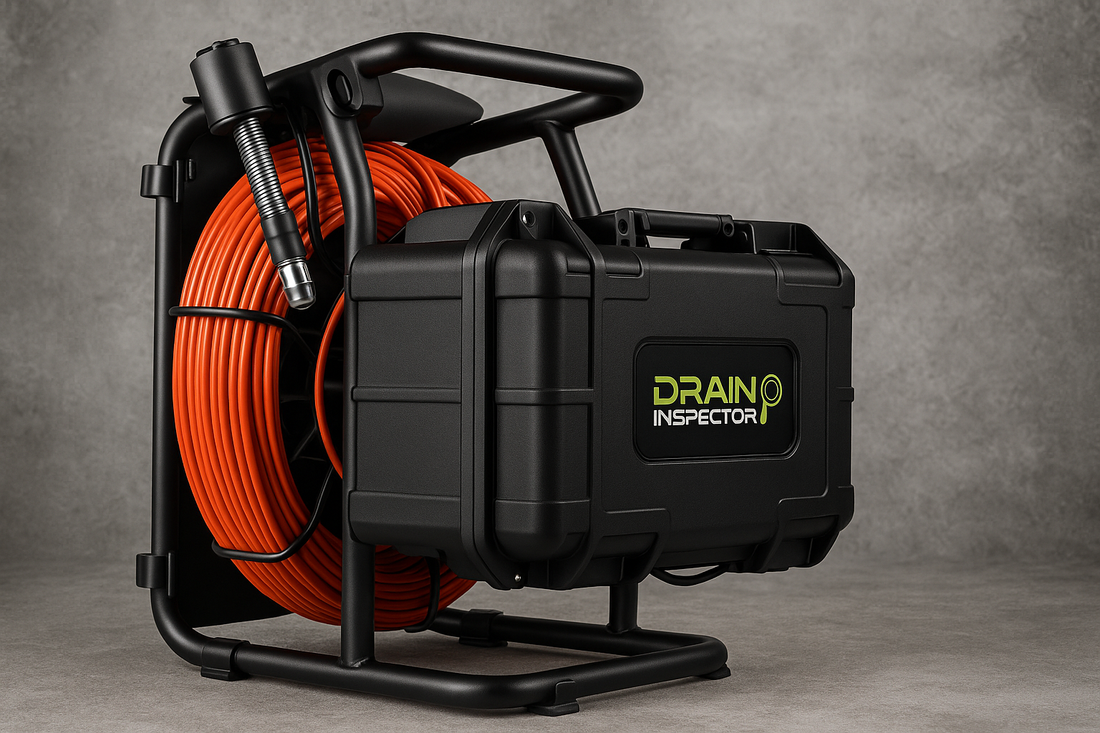
When on a sewer/drain service-call you have two choices: guess what’s going on underground or see for yourself. A sewer inspection camera gives you answers fast, saving time, reducing callbacks, and helping you prove what needs to be done. In this guide, we’ll break down what a drain inspection camera is, how it works, which specs actually matter, and how to get the most out of your investment. You’ll also learn pro tips for documentation and maintenance that most blogs skip.
What Is a Sewer Inspection Camera?
A sewer inspection camera, also called a mini-camera, drain camera, drain inspector, or pipe camera, is a waterproof camera attached to a long coil of “push rod” in a reel which is wired to a control box with a viewing screen and/or a WiFi or Bluetooth interface for viewing & recording to your tablet or smartphone. The camera-head includes bright LEDs and often a locating-beacon (called a sonde) that helps you pinpoint the problem from aboveground. In plumbing, these cameras are used to inspect drain lines ranging from small residential laterals to mainlines and area drains.
How Sewer Cameras Work
These compact camera systems let you see cracks, roots, grease, scale, and/or offset joints that no amount of guesswork could confirm. They won’t replace the need for jetting or mechanical cleaning, but they’re the eyes that inform your plan of attack and your recommendations to the business or homeowner.
Sewer/drain cameras are straightforward - here are the major components:
-
Camera head: a small waterproof unit, typically color, and often with “self-leveling” view.
-
LEDs: On the camera-head to illuminate the dark inside of pipelines.
-
Push-Rod: fiberglass-reinforced enabling you to push the camera through the pipe.
-
Control unit: provides a live video-feed via screen and/or wireless connection, typically with recording, often with on-screen footage-count and text-notation capability.
-
Sonde: transmits a radio signal that can be picked up by a Locator device (optional) to mark the pipe’s path and depth; especially any bad spots or sections.
Types of Drain Cameras
Push-rod systems are the standard for service work in 1½” – 8 inch residential and commercial pipes. Larger, remote-controlled “crawler” systems are available to inspect long municipal sewer mainlines (you may have seen City teams inspecting manhole-to-manhole in the middle of the street), as well as stormwater pipes and larger industrial lines. But what we are discussing today are small camera systems for plumbers and drain/sewer rooter pros for inspection and quick-checks of smaller sewers and drains.
Browse our Drain & Sewer Inspection Cameras
Key Specs That Actually Matter
Here’s a quick-reference table of the most important specs:
|
Component |
Features & “Why” Benefits |
|
Camera-Head & optics |
Various sizes to match the pipe-sizes to be inspected; self-leveling capability keeps the view right-side-up; strong LEDs provide lighting; tough body and lens cover protects the internals |
|
Push-Rod & Reel |
Length & stiffness/thickness determine push-ability to reach deep into the pipe; flexibility allows for elbows/turns in the line, often with encoder to provide footage-count |
|
Sonde (beacon) |
512 Hz signal is standard for a “Locator” tool to receive the camera’s position to map underground defects |
|
Control unit & recording |
Bright color screen on some, or simple WiFi broadcasting to your device; often with footage-display; simple video/photo file storage & text/voice notation for you to provide the customer & upload for your records |
|
Durability & serviceability |
IP-rated; replaceable parts, including cable-repair “re-termination” kits which are a must for long-term serviceability |
|
Power & portability |
Battery and/or 115v plug-in options; systems are hand-carry or cart-mounted with wheels |
|
Operating costs |
Minimal, with daily benefit as a job-selling and job-efficiency tool |
How to Use a Drain Inspection Camera
-
Prep your camera and verify your pipe access (drain cleanout, sewer-cap, toilet-flange, etc.).
-
Set up recording and/or start WiFi output, enter date/time/job stamps if preferred, and zero the distance-counter.
-
Feed the camera and push-rod steadily into the pipe, working through any turns; don’t force through hard obstructions (a camera is not a cleaning tool!).
-
Document findings with screenshots, annotations, and voice notes.
-
Use an optional Locator tool to pick up the camera’s sonde-signal to mark the problem’s location and depth aboveground.
-
Perform cleaning or repair, then record proof of success.
-
Save and back up your footage for the customer’s records and your own.
Buying Guide: Match the Camera to Your Work
-
Classic Push-Camera systems (3–6” lines, & occasional 8+ inch): Self-leveling camera-head with spring-leader, 150–300 ft. push-rod/cable, Wi-Fi sharing, 512 Hz sonde for locating, often battery-powered or AC/DC capable, some with on-screen job notation, and more optional features.
-
Micro Drain-Camera systems (1½–3” lines, & occasional 4-inch): Small camera-head & leader to navigate tight turns, 75–150 ft. of skinnier (more flexible) push-rod/cable, often battery-powered, some Wi-Fi sharing, 512 Hz sonde for locating.
-
Municipal/Industrial Push or Crawler systems: Stiffer/thicker rod/cable for pushing through longer & larger pipes, larger head w/more LEDs for illumination, and optional centralizers to lift the camera up out of the sewage flow. Higher-end “crawler” systems offer pan-tilt-zoom action, larger cable-capacity of 500-1000 ft. or more, and often job-reporting software packages.
-
Budget vs pro tiers: Cheaper models may have poor durability and may skip features like footage-counters or self-leveling view; Pro units pay back in dependability, serviceability, and features.
Before buying, consider the pipe-sizes and lengths that the camera will have to navigate, and the features that you want for jobsite efficiency - and for customer impression if you’ll be showing and sharing the view on the job.
ROI & Cost of Ownership
A sewer& drain inspection camera is an investment, but it pays back fast:
-
Inspecting before/after = fewer callbacks & more profit.
-
Proof for estimates = higher close rates.
-
Extended life with maintenance = lower annual cost.
-
Add a Locator-receiver to track the location and depth of the camera-head when needed - especially for selling and planning trenchless work. Again, more professional capabilities with less guesswork and more profit potential.
Many plumbers & sewer/drain pros see payback after only a handful of diagnostic calls, often within the first 30 days of ownership. Pro Tip: remember to never use the camera-head as a cleaning tool to break through blockages!
Maintenance to Extend Camera Life
Always clean and dry the camera head after use using an anti-fog solution. Inspect connectors, seals, and strain reliefs for wear. Replace scratched lens covers and O-rings as needed. Store everything in a dry, protective case and maintain battery health, carrying extra batteries and charger to avoid downtime. Carry essentials like wipes, spare parts, and cable-repair kits in the field. Having a spare camera head can avoid downtime as well.
Our technicians at Drain Invader have serviced countless plumbing cameras and know firsthand that simple cleaning habits extend service life.
Troubleshooting: When the Camera Fights Back
-
Blurry image: Clean lens or replace cover.
-
Dim LEDs: Check light-control settings or wiring.
-
Jumpy counter: Inspect encoder on cable-reel.
-
No video: Test connections, fuses.
-
Water inside: Stop immediately and send for service.
If problems persist, don’t stress about warranty claims or manufacturer approvals; reach out to us instead. We also offer expert jetter repairs, maintenance, and service - we are here to keep your equipment running smoothly.
See More, Guess Less
A plumbing inspection camera gives you answers that guessing never will. From choosing the right unit to keeping it in top shape, this basic guide is here to help you to get the most out of your investment.
With decades of combined field and shop experience, the Drain Invader team has helped plumbers nationwide pair the right drain cameras with the right jetters and other tools, ensuring they solve problems efficiently and profitably. Our access to parts and service, plus relationships with many leading brand manufacturers, means your investment stays compatible and supported for years.
Ready to find the right sewer inspection camera for your work? Talk with a Drain Invader specialist today and we’ll match the right system to your jobs and budget.
FAQs
Q: What size sewer inspection camera head do I need for 3–4 in. pipes?
A: Typically heads around 1½“ O.D. fit and move well, with enough LED power to light up to 6” pipe. Smaller camera-systems are available for 2” and smaller lines.
Q: What problems can a pipe inspection camera detect?
A: Roots, cracks, offsets, debris, grease, and collapses. These findings often become your reference point when recommending repair options.
Q: How deep in the ground can a sewer camera locate problems?
A: The sonde in most push-rod systems can send a beacon from depths up to 10–15 ft. for tracking with a Locator, while larger optional sondes can be located even deeper, all depending on soil and pipe conditions.
Q: Can I use a sewer camera without a locator?
A: Yes, but you won’t know exactly where problems lie aboveground. Depth and location are great information to document in your inspection reports.
Q: Is a drain/sewer inspection camera worth it for residential plumbers?
A: Yes. Even a midrange system can pay for itself quickly in reduced guesswork and increased customer trust when selling your solutions. Many pros recover their investment in less than 90 days.
